> ## Documentation Index
> Fetch the complete documentation index at: https://developer.worldly.io/llms.txt
> Use this file to discover all available pages before exploring further.
# Getting Started with Higg APIs
> Here you'll find documentation and examples to help you start working with the Higg API as quickly as possible, as well as support if you get stuck. Let's jump right in!
## Welcome to the Higg Public API!
You can use our API to access Higg Public API endpoints, which allows you to access module data that your account owns or that has been shared with your account.
We have language bindings in Shell (curl) and JavaScript.
## How to authenticate
Higg APIs use JWT based API keys to allow access to the API. Once you are API approved, you can create new Higg Public API keys in your account details screen. You can create unlimited API keys for different use cases and delete them when you want to disable access for those use cases.
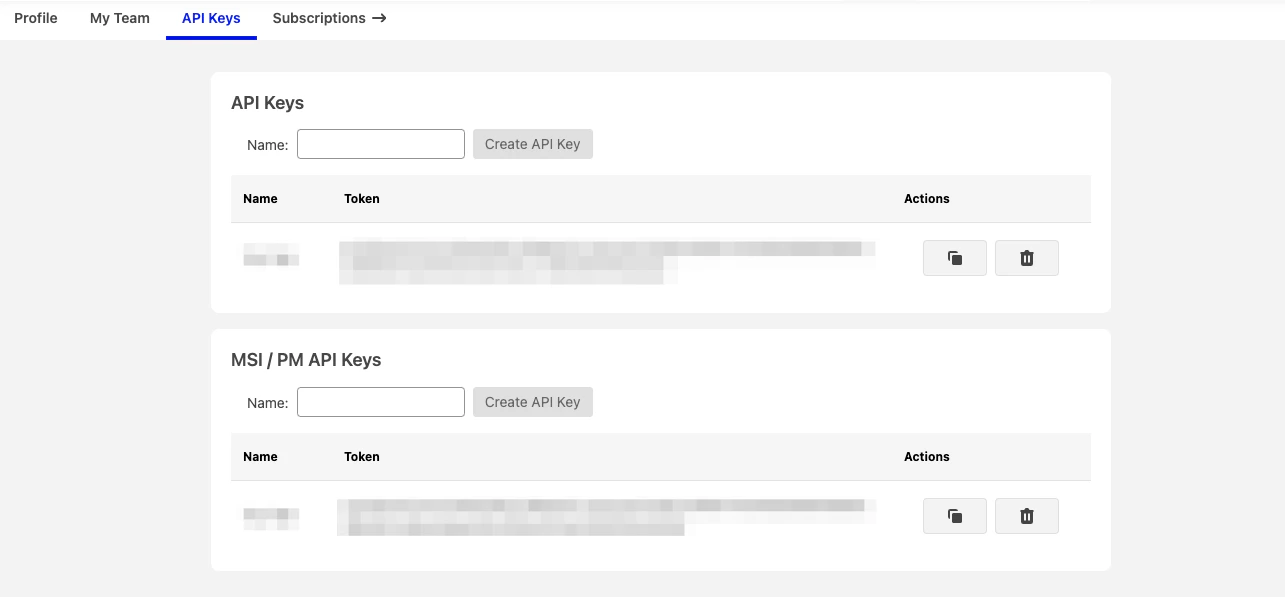 The Higg Public API expects for the API key to be included in all API requests to the server in a header that looks like the following:
`higg-api-token: {{provided jwt api key}}`
You must replace `USE YOUR ASSIGNED API TOKEN HERE` with your actual API key.
The Higg Public API expects for the API key to be included in all API requests to the server in a header that looks like the following:
`higg-api-token: {{provided jwt api key}}`
You must replace `USE YOUR ASSIGNED API TOKEN HERE` with your actual API key.