
Introduction
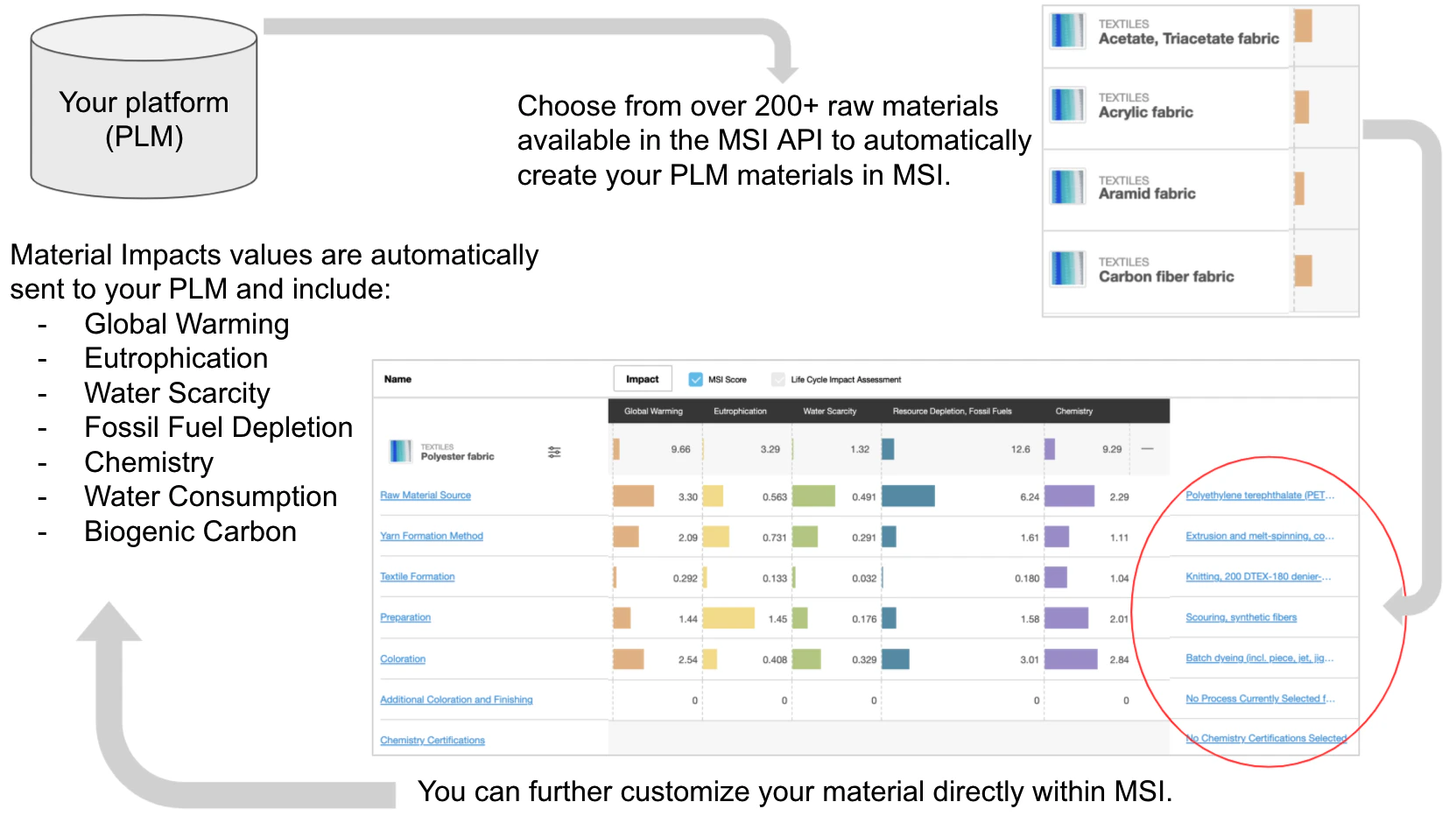
The Higg Materials Sustainability Index (MSI) is a material scoring tool that measures the environmental impacts of material production from raw material to the finished processing of the material. The Higg MSI API can be used by companies to integrate Higg MSI data within their own internal systems. It can also be used by third-parties, such as Product Lifecycle Management (PLM) systems, to enable shared customers to access Higg MSI account data in the third-party system. Integrating Higg MSI impacts into internal and third-party systems allows designers and sustainability stakeholders to compare material impacts as they make material choices and analyze impacts in their material portfolio. The MSI API consists of three primary endpoints:- Search : You can use the MSI Search endpoint to access Higg MSI API endpoints for all MSI module data that your account owns or that has been shared with your account. The Search API includes the Higg MSI normalized scores and Life Cycle Impact Assessment (LCIA) absolute values for the full material (but not for sub-process stages of material formation).
- Create: The MSI Create endpoint allows the user to send material name and raw material stage from the third-party system to MSI to automatically create MSI materials.
- Update: If you want to edit a material, you can use the Update endpoint to edit the material in MSI.
- Global Warming MSI Score
- Global Warming LCIA value (kg CO2 eq)
- Eutrophication MSI Score
- Eutrophication LCIA value (kg PO4– eq)
- Water Scarcity MSI Score
- Water Scarcity LCIA value (m3)
- Abiotic Resource Depletion, Fossil Fuels MSI Score
- Abiotic Resource Depletion, Fossil Fuels LCIA value (MJ eq)
- Chemistry MSI Score
- Chemistry LCIA value (units)
- Biogenic Carbon Content LCIA value (kg CO2 eq) (Not included in MSI score)
- Water Consumption LCIA value (liters) (Not included in MSI score)
- Global Warming MSI Score
- Global Warming LCIA value percent
- Eutrophication MSI Score
- Eutrophication LCIA value percent
- Water Scarcity MSI Score
- Water Scarcity LCIA value percent
- Abiotic Resource Depletion, Fossil Fuels MSI Score
- Abiotic Resource Depletion, Fossil Fuels LCIA value percent
- Chemistry MSI Score
- Chemistry LCIA value percent
- Biogenic Carbon Content LCIA value percent (Not included in MSI score)
- Water Consumption LCIA value percent (Not included in MSI score)
Example Use Case