

Welcome to the Worldly Public API!
You can use our API to access Worldly Public API endpoints, which allows you to access module data that your account owns or that has been shared with your account. We have language bindings in Shell (curl) and JavaScript.How to authenticate
- Select Account in the top-right dropdown and select Integrations on the nav bar
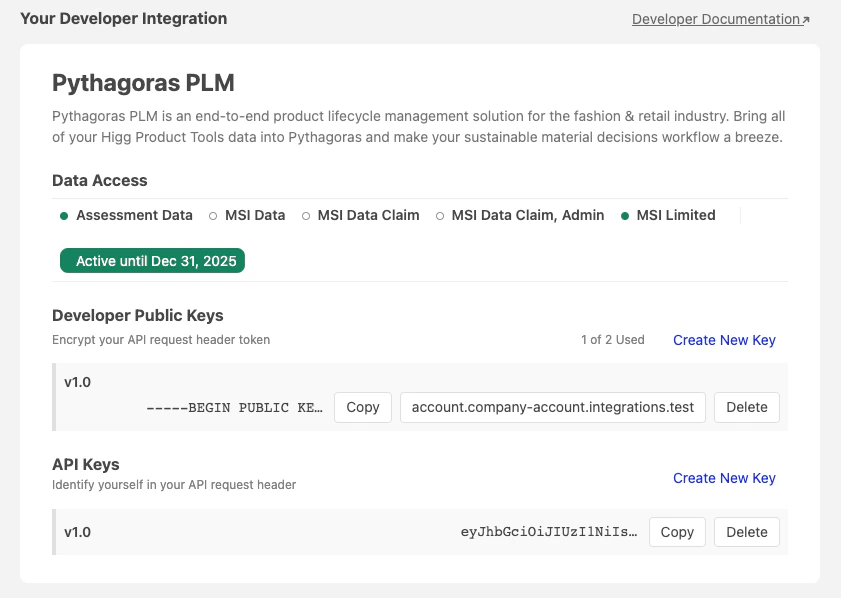
- Select Your Developer Integration. Create both Developer Public Keys and API Keys
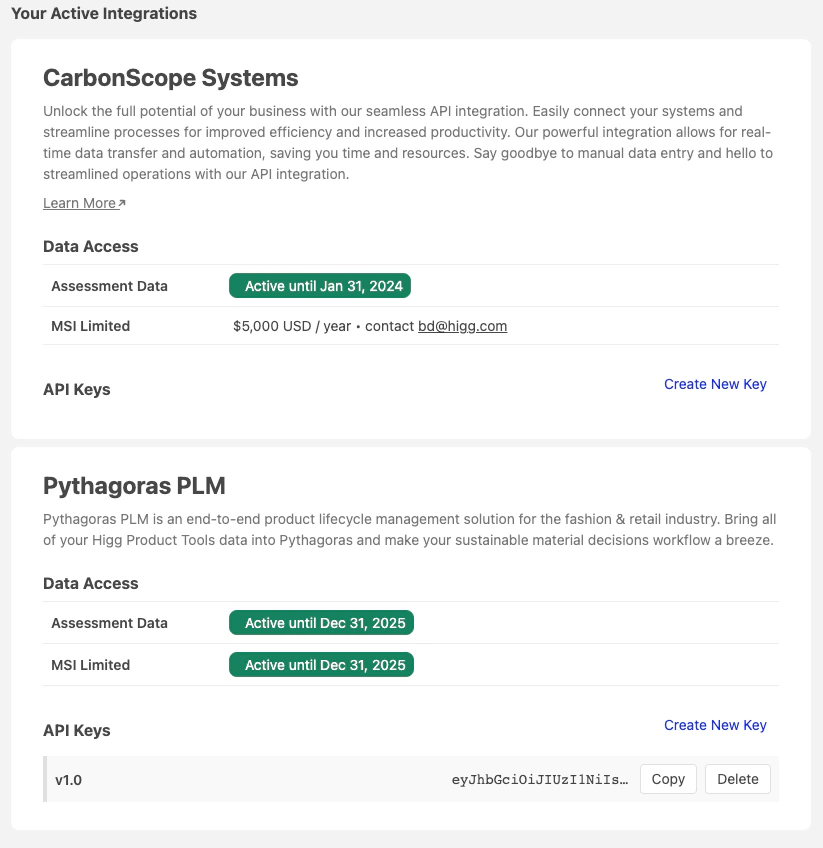
- Scroll to Your Active Integrations and create API Keys
Encrypting your API Key
Please be sure you have the latest version of OpenSSL installed on your machine
- Copy an API Key created on your Developer Integration and paste it into an
x-api-keyheader param when making a public API request - Copy a Public Key on your Developer Integration and paste it into a public.pem file
- Copy an API Key created on your Active Integrations and paste it into a secret.txt file. Append a recent timestamp to the Key such as
&2023-02-14T10:11:12Z
- Run the command on the same directory of the secret.txt file created:
- Copy the result of the previous command and paste it into a
x-developer-request-tokenheader param when making a public API request - Make a request to the new version of the public API and check the results. Example:
Tips for authentication workflow
- Add the secret.txt file for each unique token in its own, separate directory folder. Open the Terminal from that folder when running the base64 encryption to ensure the correct secret.txt token is being used
- Add the base64 Terminal command as a local shortcut to easily paste for re-encryption every 12 hours
Switch to v0.1 (Legacy) using the version selector at the top of this page.